

Request More
Request additional photos or videos on an existing inspection and mark specific list items as incomplete.
Use the PUT /text/request endpoint to ask customers for additional photos or videos on an existing inspection, and optionally mark specific list items as incomplete so the customer knows exactly what to redo.
For the full endpoint schema, see the PUT /text/request API reference.
Prerequisite Status
Have an existing inspection ID. The inspection must be in one of these statuses: Created, Started, In Progress, or Ready for Review
If the inspection is in Ready for Review status, sending a request for more will automatically move it back to In Progress.
Send a basic request for more
Send a PUT request to /text/request with the inspection ID. This sends the inspection link to the customer using the inspection's current send_methods configuration: text, email, or both. The message uses the "request more" message template.
If you want to change whether the customer receives a text message, an email, or both, update the inspection's send_methods first with PUT /inspections/{inspectionId}. Then send the request for more photos or videos with PUT /text/request.
curl -X PUT https://vision-api.truepic.com/v3/text/request \
  -H "Authorization: Bearer {access_token}" \
  -H "Content-Type: application/json" \
  -d '{
    "inspection_id": 1843
}'{
"response_code": 200,
"message": "Success",
"api_version": "3.0.0",
"result": "https://visionbytruepic.com/23AUkqg1xRb"
}Mark specific list items as incomplete
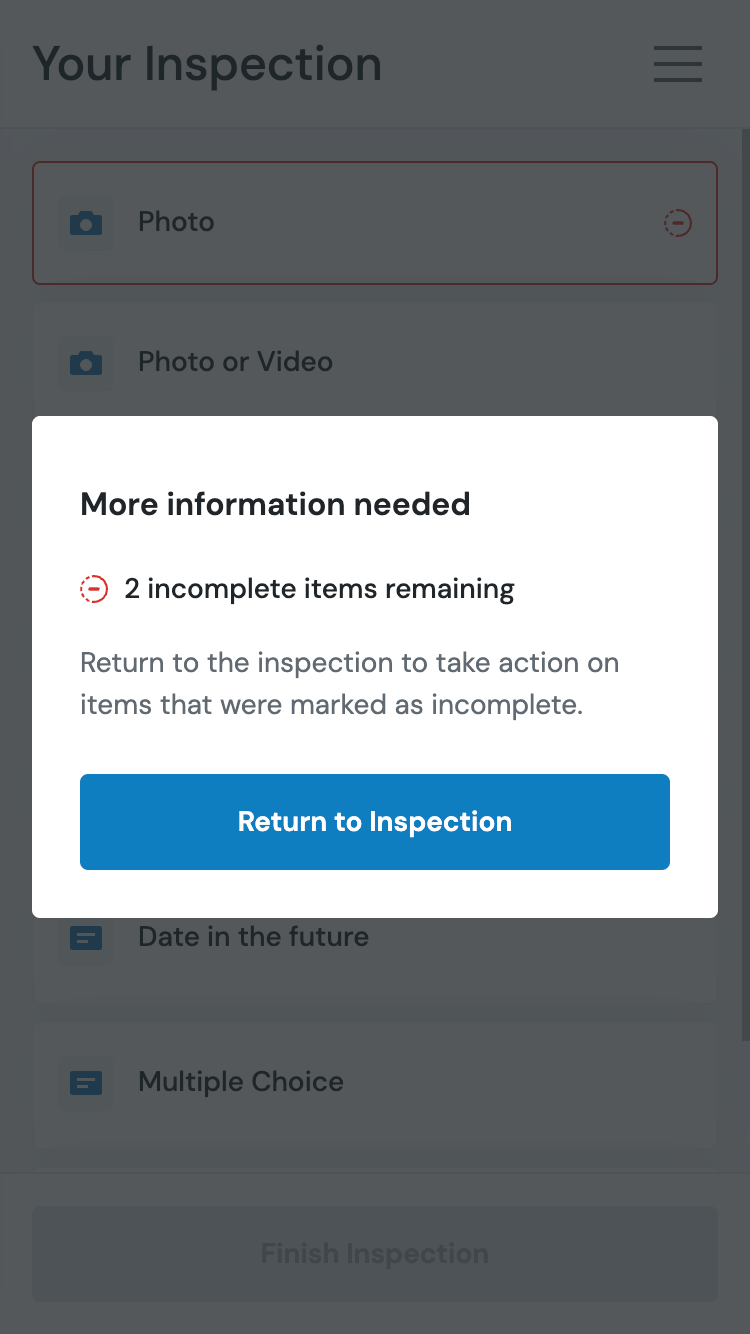
To tell the customer which photos or videos need to be retaken, mark individual list items as incomplete. Set include_list to true and provide the full list items with incomplete: true on the items that need to be redone.
Each existing list item in the request must include its existing id so the API knows which item to update. It must also include all of the list item's configured options that you want to preserve, such as its name, type, is_required, and any other configured fields.
You must include all existing list items in the
list.itemsarray — not just the ones you want to mark as incomplete. The API replaces the inspection's entire list with what you provide, so send the full list in the exact state you want it to have after the request. Any list items you omit will be removed, and photos or videos previously submitted for those items will become uncategorized because they are no longer associated with an existing list item.Also, each list item in the request that is staying must include its existing
idand full configured options so the API knows which items to update and what configuration to keep.
curl -X PUT https://vision-api.truepic.com/v3/text/request \
  -H "Authorization: Bearer {access_token}" \
  -H "Content-Type: application/json" \
  -d '{
    "inspection_id": 1843,
    "include_list": true,
    "list": {
      "items": [
        {
          "id": 501,
          "name": "Front of vehicle",
          "type": "IMAGE",
          "is_required": true,
          "incomplete": true
        },
        {
          "id": 502,
          "name": "Rear of vehicle",
          "type": "IMAGE",
          "is_required": true
        },
        {
          "id": 503,
          "name": "Driver side",
          "type": "IMAGE",
          "is_required": true
        },
        {
          "id": 504,
          "name": "Passenger side",
          "type": "IMAGE",
          "is_required": false
        }
      ]
    }
  }'
In this example, item 501 is marked as incomplete: true while items 502, 503, and 504 are included as-is to preserve them on the inspection. The customer will see item 501 flagged as incomplete in the Vision app and will be prompted to recapture it.
You can also add new list items to the inspection in the same request. Marking any new item as incomplete: true even though the user didn't have a chance to complete them the first time is a useful way to draw the customer's attention to the new items.
Optional: Include a custom message
If your Request More template contains the {{CustomNote}} template token, include message_supplement in the request body. Vision inserts the message_supplement value into the text or email message wherever {{CustomNote}} appears. The note is limited to 255 characters.
message_supplement is the API field you send in the request. {{CustomNote}} is the message template token that displays that value.
curl -X PUT https://vision-api.truepic.com/v3/text/request \
  -H "Authorization: Bearer {access_token}" \
  -H "Content-Type: application/json" \
  -d '{
    "inspection_id": 1843,
    "message_supplement": "The photos of the front bumper were too blurry. Please retake them in good lighting.",
    "include_list": true,
    "list": {
      "items": [
        {
          "id": 501,
          "name": "Front bumper",
          "type": "IMAGE",
          "is_required": true,
          "incomplete": true
        }
      ]
    }
  }'
Request body reference
| Parameter | Type | Required | Description |
|---|---|---|---|
inspection_id | integer | Yes | The ID of the inspection to request more for. |
include_list | boolean | No | Set to true when including items in the list object. Set to false if you want to remove all list items from this inspection. Defaults to null which just preserves the current list as is. |
list | object | No | Contains items (array of list item objects) and optionally groups. Whatever is specified in this object becomes the inspection's full new list, so provide the entire list in the final state you want. |
list.items[].id | integer | Yes, for existing list items | The ID of an existing list item. This must be provided for each list item so any existing responses can be maintained. If you are adding new list items you don't need to provide this property. |
list.items[].incomplete | boolean | No | Set to true to mark this item as incomplete. The customer will be prompted to redo it. |
list.items[].* | varies | Yes | All configured options for each list item that you want to preserve, such as name, type, is_required, and any other configured fields. |
message_supplement | string | No | A custom note attached to the request text/email. Max 255 characters. |
Updated 5 months ago